Organizations & Bridging
The platform models a small ecosystem: one Central organization (the issuer) and the Commercial organizations (participant banks) it onboards. This is the second axis of access control alongside roles.
Organization types
OrganizationType has two values:
| Type | Who | Sees |
|---|---|---|
| CENTRAL | The issuing central bank | Issuer surfaces: full account presets, mint/burn, the Organizations admin tab |
| COMMERCIAL | Participant banks | Participant surfaces: their own accounts, Send, Convert; no Organizations tab |
An organization also has an OrganizationStatus (e.g. ACTIVE) and, for commercial orgs, an exchange address and a frozen flag that gate conversions.
Route-level org gating lives in the dashboard's ROUTE_ORG_TYPES and is mirrored server-side — e.g. GET /organizations rejects non-central callers with ORGANIZATION_LIST_RESTRICTED_TO_CENTRAL_BANK.
Managing organizations (Central only)
From Control Panel → Organizations, an administrator can create commercial orgs and open an org's detail page (/control-panel/organizations/$id). All organization mutations require the manage · Organization ability:
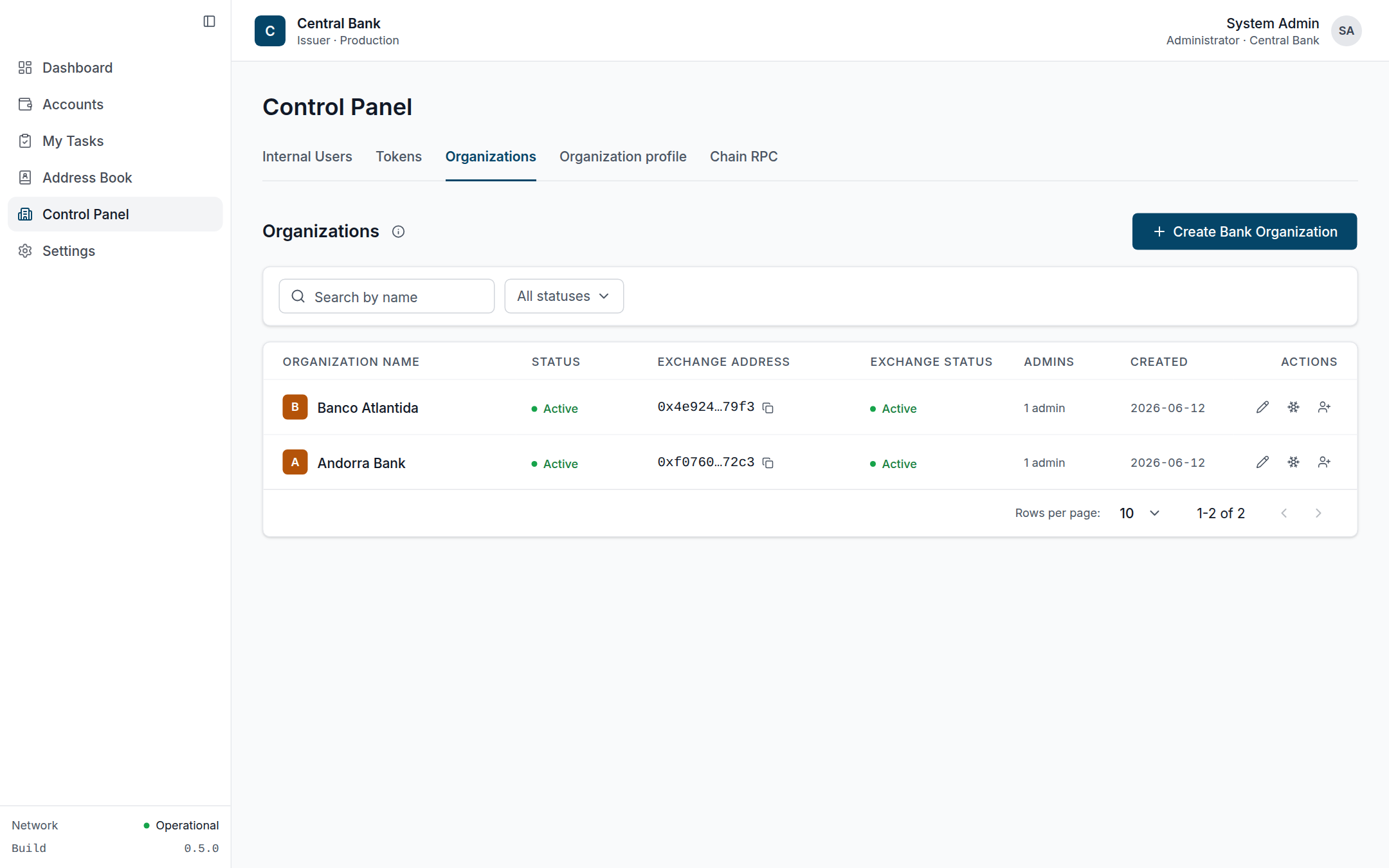 The Organizations tab (Central only): each commercial bank with its status, exchange address, exchange status and per-row admin actions.
| Action | Endpoint |
|---|---|
| List / view orgs | GET /organizations, GET /organizations/:id |
| Create org | POST /organizations |
| Update org | PATCH /organizations/:id |
| Invite org admin | POST /organizations/:id/admins/invite |
| Set exchange address | POST /organizations/:id/exchange-address |
| Freeze / unfreeze | POST /organizations/:id/freeze · /unfreeze |
| Per-org chain RPC | PATCH /organizations/:id/chain-rpc, POST /organizations/:id/chain-rpc/test |
Auditors in the central org can open these read-only (mutation affordances are hidden in-page).
Exchange address & freezing
A commercial org's exchange address is the on-chain account that conversions move value to/from. Setting it, and freezing/unfreezing it, are recorded as ADMIN operations. A frozen or unlinked exchange address blocks both disbursement and redemption.
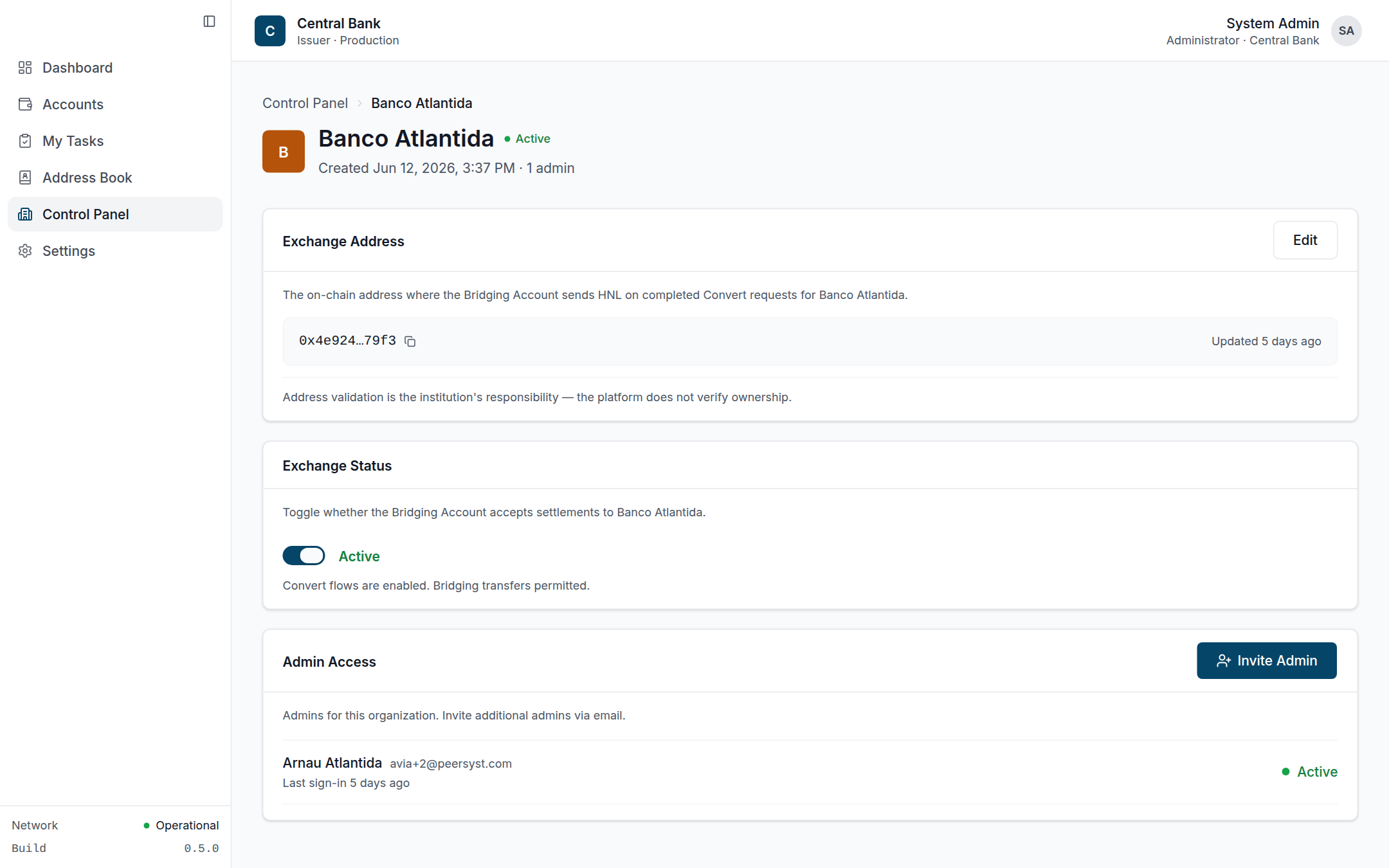 Org detail: the exchange address, the freeze/unfreeze toggle that gates conversions, and the org's admin roster.
Instant Payments settlement account
When a commercial organization is activated, the platform also auto-provisions its Instant Payments settlement ("ops") account — a single-key custody account, not a multisig — used to settle cross-bank retail payments. This happens automatically; there's no separate admin step.
Per-organization chain RPC
When PER_ORG_RPC_ENABLED=true, each organization can target its own chain RPC endpoint; the chain module resolves the right node per request via its RPC context. The endpoint can be validated with the chain-rpc/test call before saving.
Bridging — fiat ↔ CBDC
Conversions run against the BRIDGING account (a MultisigType.BRIDGING group) via the bridging module. Both endpoints require the manage · Bridging ability:
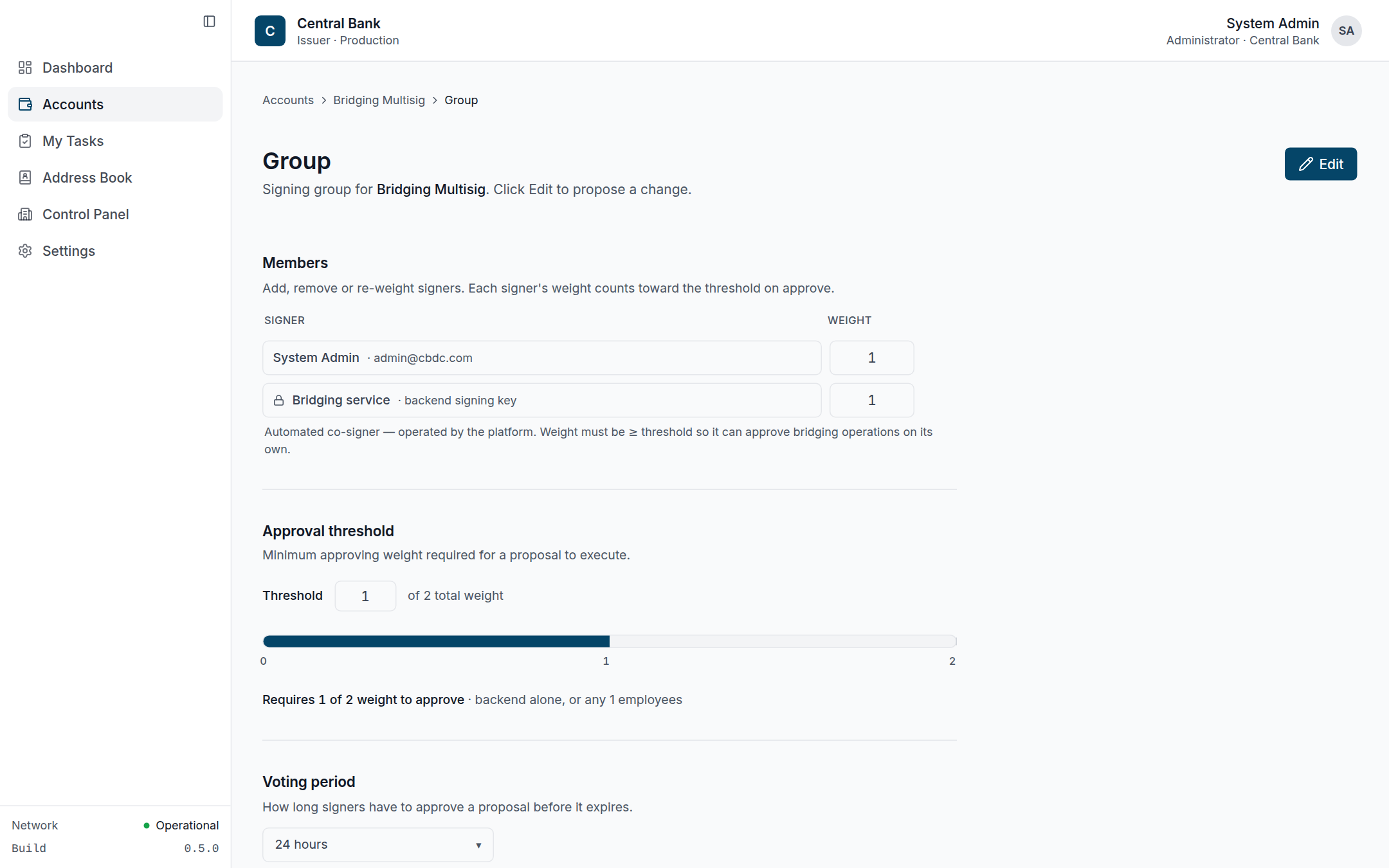 The bridging group pairs the central admin with an automated "Bridging service" co-signer (the system identity), whose weight stays ≥ threshold so it can settle disbursements on its own.
- Disbursement (fiat → CBDC) is signed by the system bridging identity (
UserKind.BRIDGING), the only on-chain member of the bridging group besides the central admin — so for a single-signer bridging policy it executes instantly. - Redemption (CBDC → fiat) moves CBDC back to the bridging account and is balance-capped.
Each request emits a DisbursementRequestedEvent / RedemptionRequestedEvent and shows up in the activity log as a CHAIN operation. The conversion UX is the /convert flow described in Token Operations.
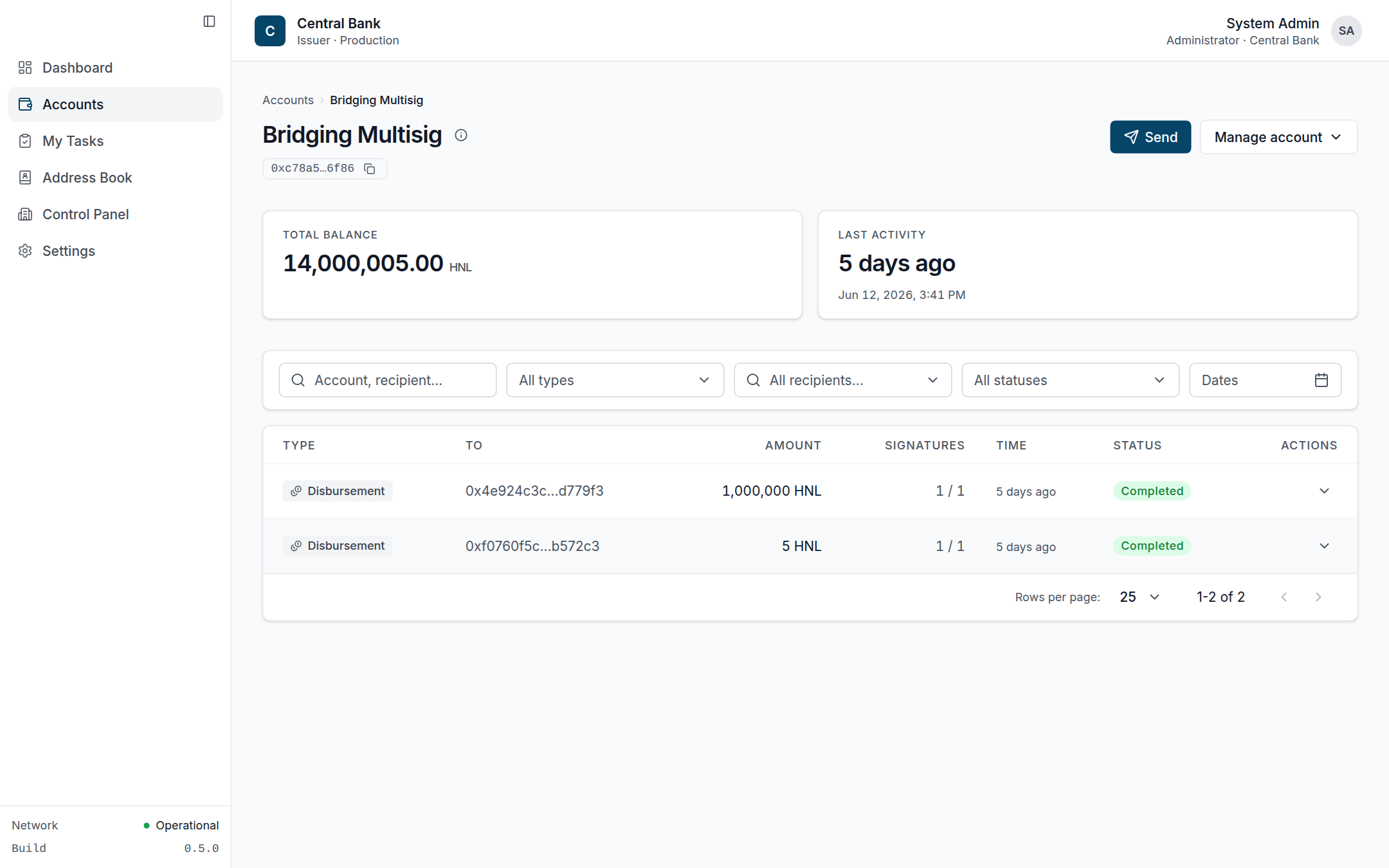 The Bridging account detail: completed disbursements appear in its activity log as chain operations.