Accounts (Multisig Groups)
Accounts are the core organizational unit (the dashboard sidebar calls them Accounts; on-chain they are Cosmos SDK x/group groups with a decision policy that sets how many weighted signatures approve an action). Every token movement is a proposal against the relevant account's policy.
Account types
From the MultisigType enum:
| Type | Purpose |
|---|---|
| STANDBY | The issuing "vault". The only account that can mint and burn. Newly minted tokens land here. |
| DISTRIBUTION | The disbursement desk. Receives from Standby and sends out to whitelisted recipients only. |
| BRIDGING | The fiat↔CBDC bridge. Backs conversions (disbursements/redemptions) for commercial banks; one of its members is the system bridging identity. |
| CUSTOM | User-created accounts for other governance needs. |
STANDBY / DISTRIBUTION / BRIDGING are the preset accounts provisioned by the seed + setup:chain. CUSTOM accounts are created from the UI.
What users see
The Accounts list shows the presets pinned at the top (for issuer-side users) followed by custom accounts; commercial users see a flat list of their own accounts. Each card shows name, type, balance, member count and last activity.
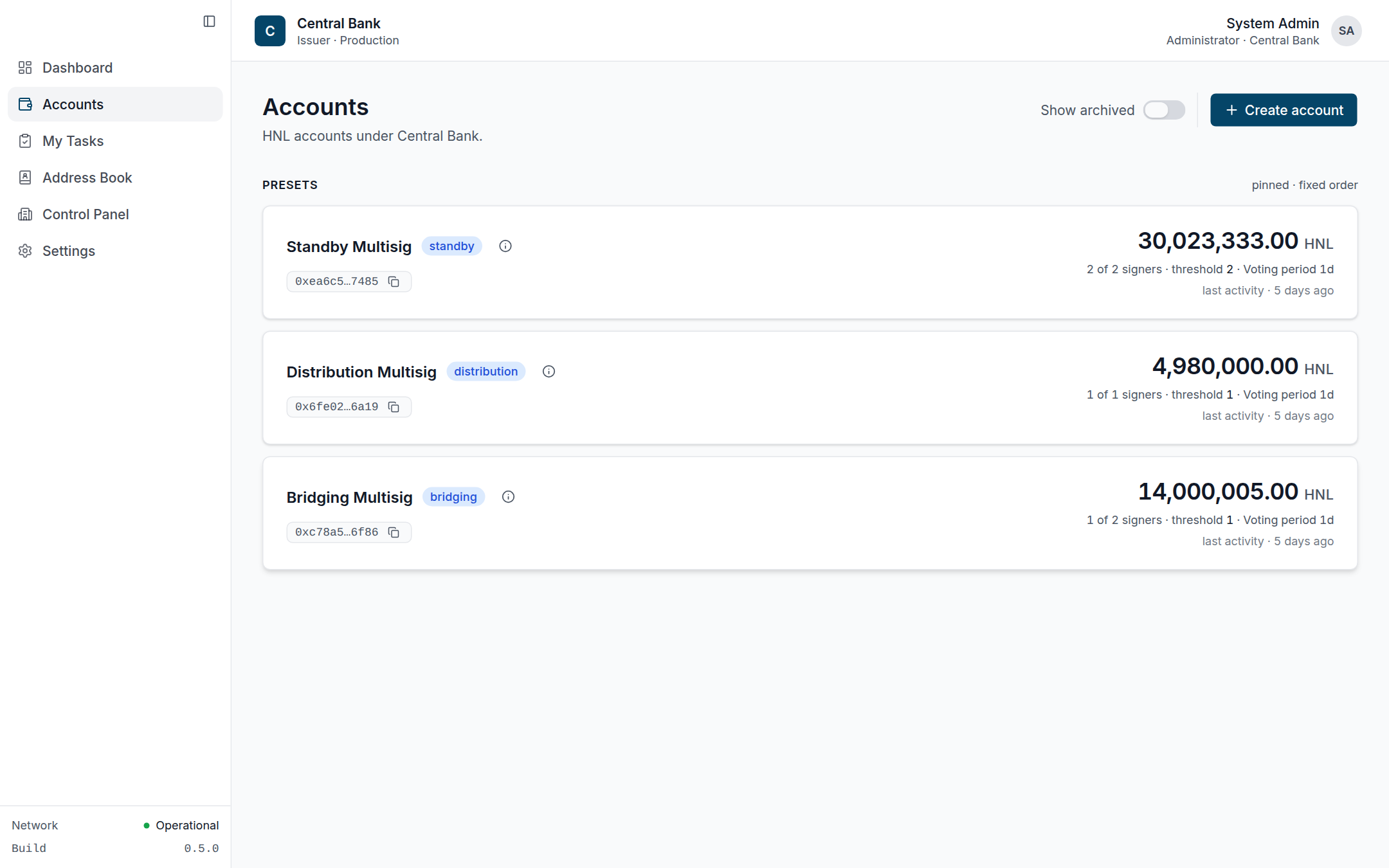 Issuer presets — Standby, Distribution, Bridging — grouped above any custom accounts, each card showing balance and "M of N signers · threshold".
An account's detail page shows a header (name, copyable policy address, status pill), KPI row (balance, last activity), a personal "waiting on you" banner when relevant, and the activity log filtered to that account. A Manage account menu exposes: edit label, Manage Group, Manage Whitelist (Distribution), and Archive/Unarchive (custom accounts).
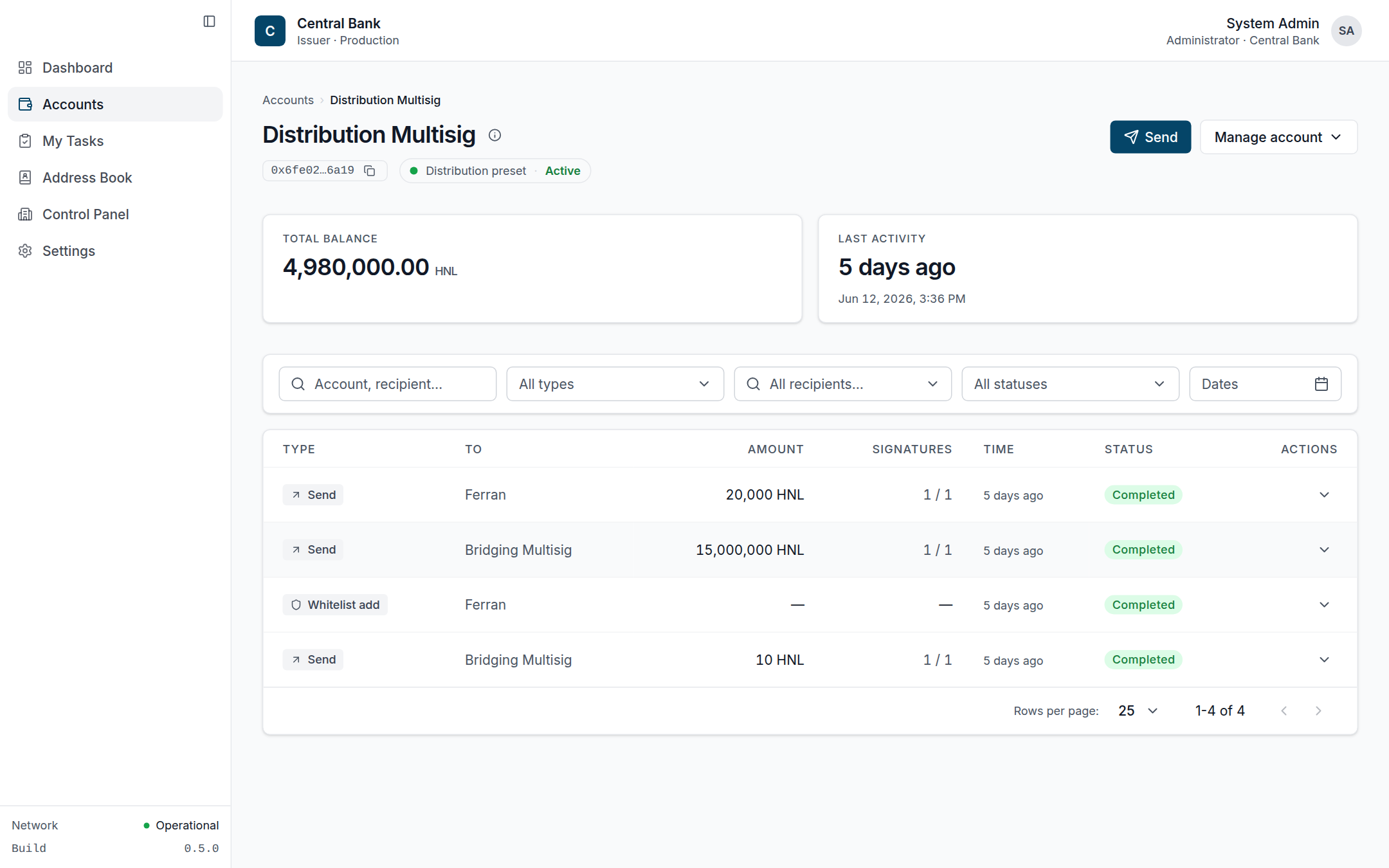 Account detail (Distribution): type chip, copyable policy address, balance/last-activity KPIs, and the activity log scoped to this account.
Creating a custom account
/multisigs/create collects a name, members (the creator is locked in as the first member) and a threshold policy, shows a review step, then submits an on-chain group + policy. Unlike token operations, creating an account is a direct transaction, not a proposal.
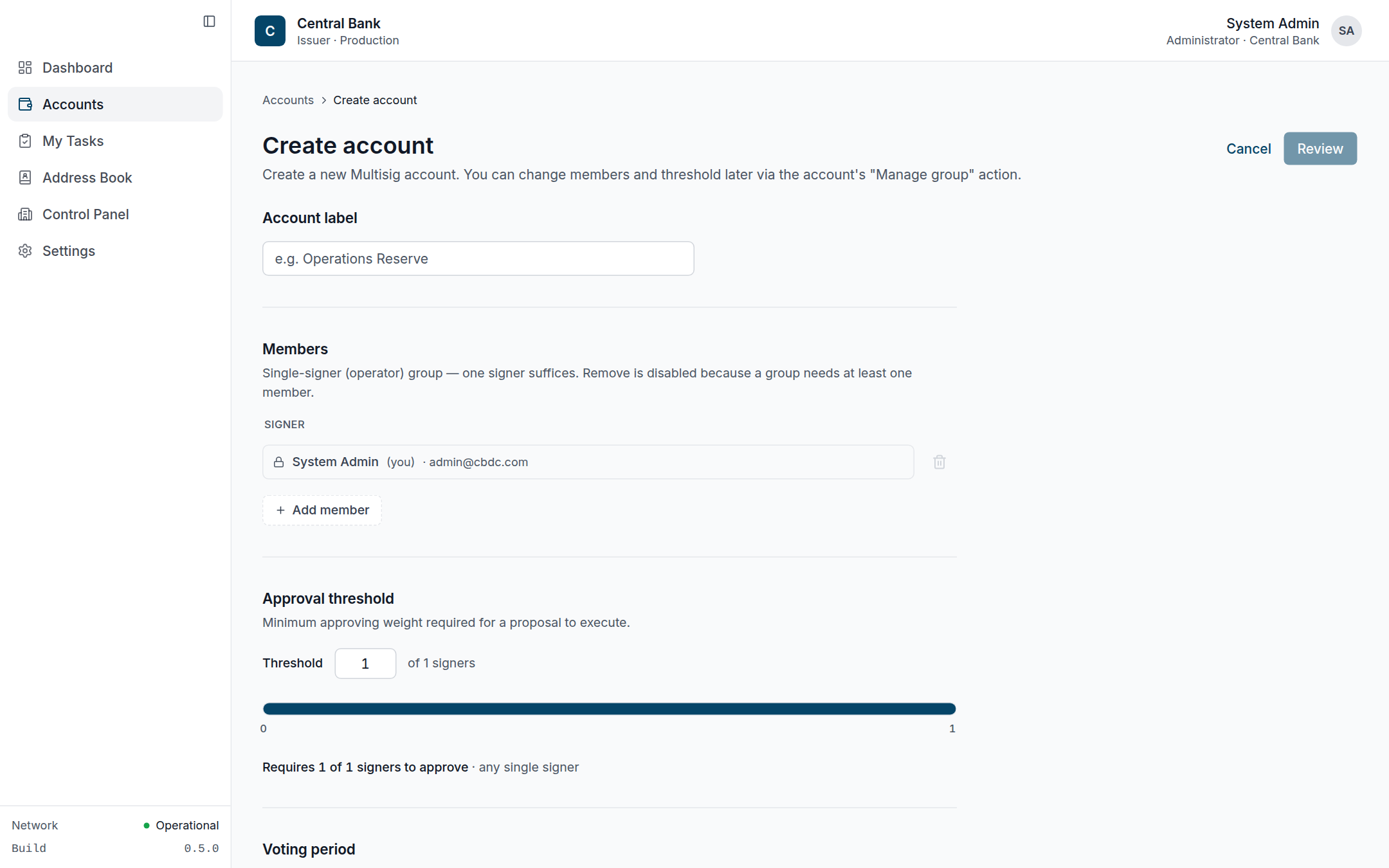 The creator is locked in as the first signer; the threshold slider maps directly onto the on-chain decision policy.
Managing the group
Manage Group (/multisigs/$id/group) has view and edit modes. Editing members, weights, threshold or voting period submits a group-change proposal that the current members must approve; the member set is snapshotted at submit time. (Bridging accounts enforce an invariant that the backend member weight stays ≥ threshold.)
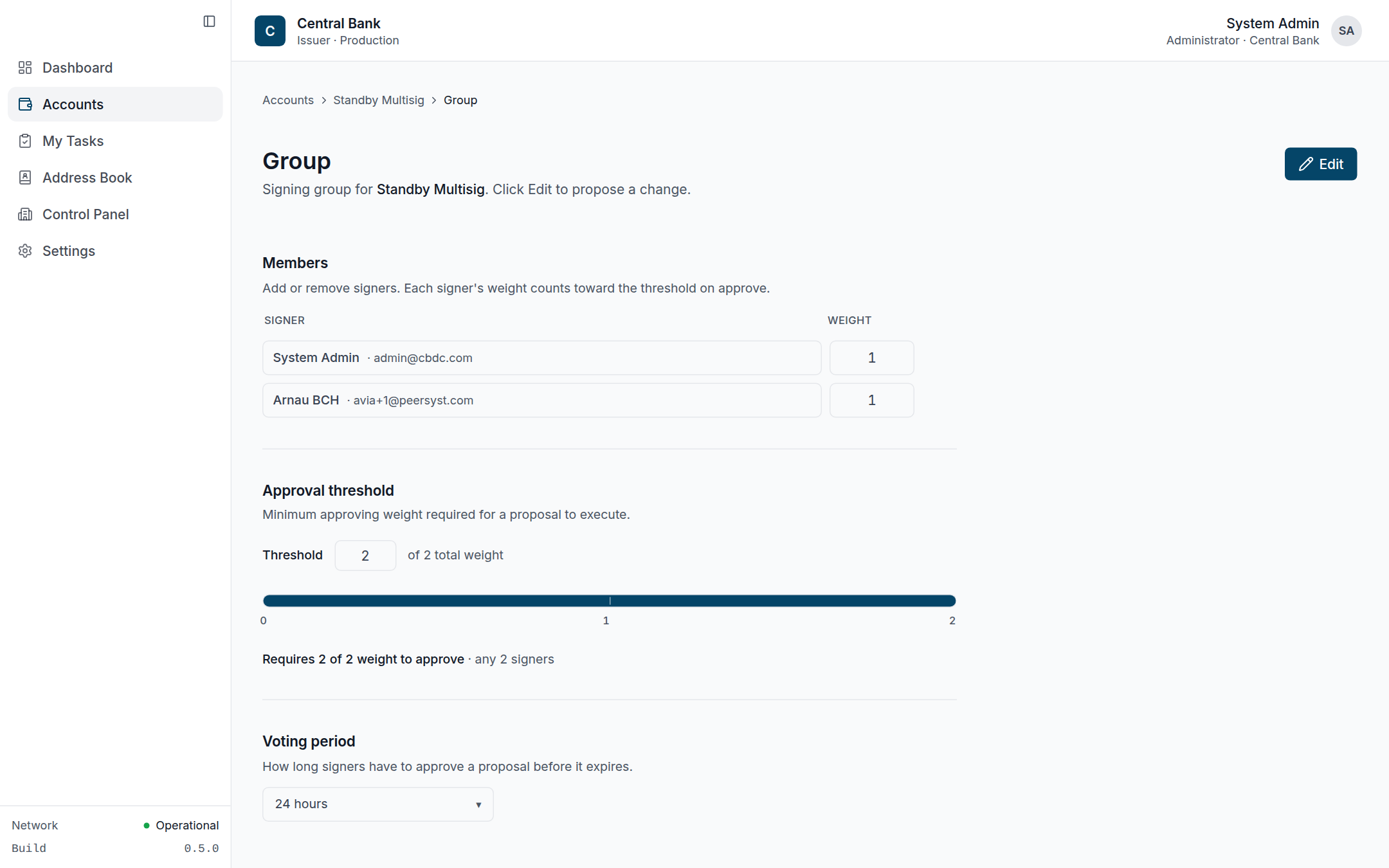 Group page in view mode (Standby, 2-of-2). "Edit" switches to a draft that, on save, becomes a group-change proposal.
Managing the whitelist
Distribution accounts restrict outbound transfers to a managed allow-list of recipient addresses, each with a human-readable label. Administrators add/remove entries from Manage Whitelist (/multisigs/$id/whitelist); these are recorded as admin operations in the activity log.
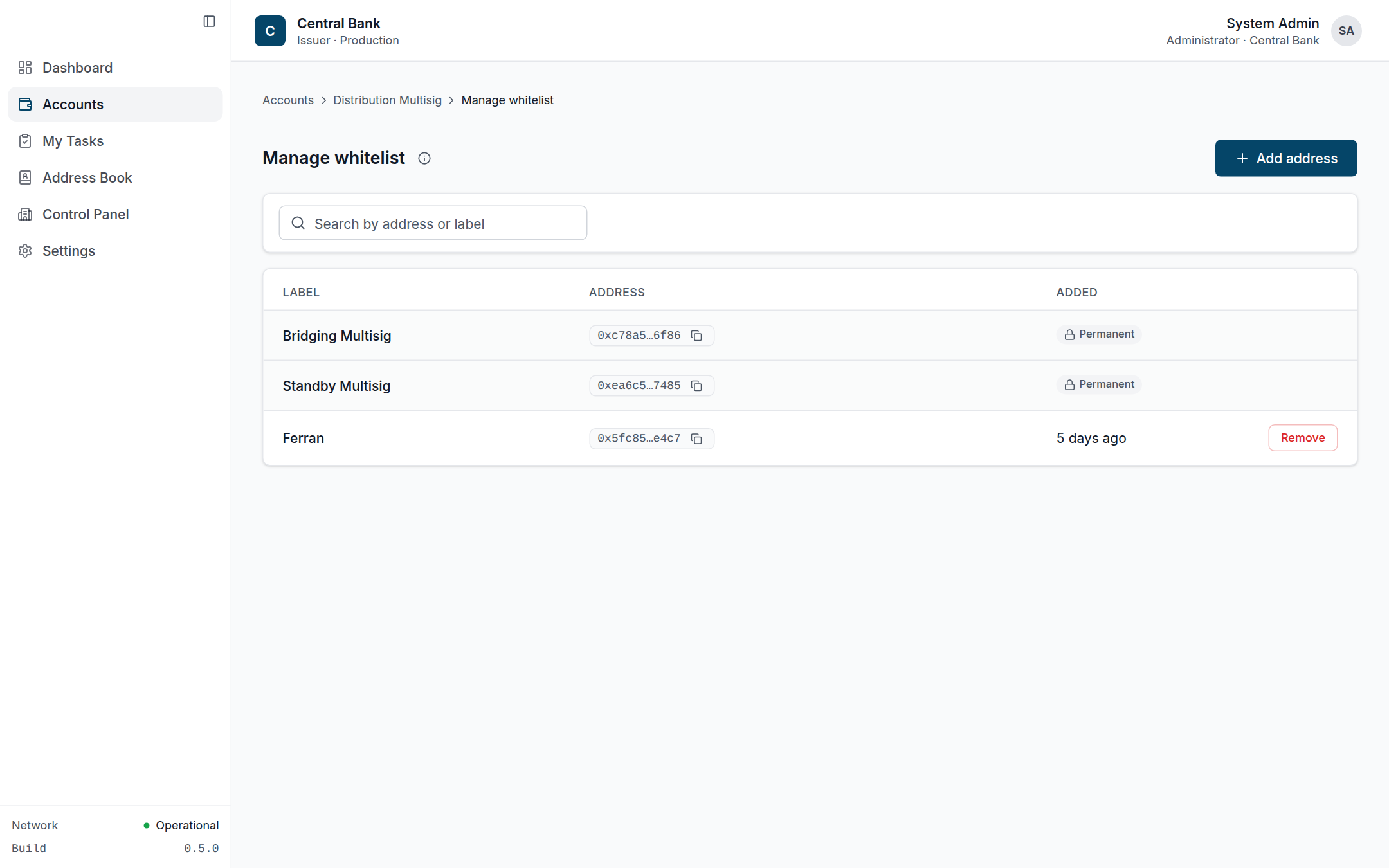 Permanent internal entries (the other presets) sit alongside removable external recipients; only whitelisted addresses can receive from Distribution.
On-chain vs. off-chain
Members, weights, policies, balances and proposals are on-chain (queried live). The database stores the account's label/type, which platform users belong to it, and the whitelist labels — so the UI can show "your accounts" without scanning the chain per user. If the node is unreachable, names/types/members still render from the database while balances and policy details show a "chain unavailable" notice.